
White-Label Health Scanning SDK: Branding & Setup Guide
A product-team guide to customizing branding, UI, and flows for a white-label health scanning SDK and shipping a branded contactless vitals experience.
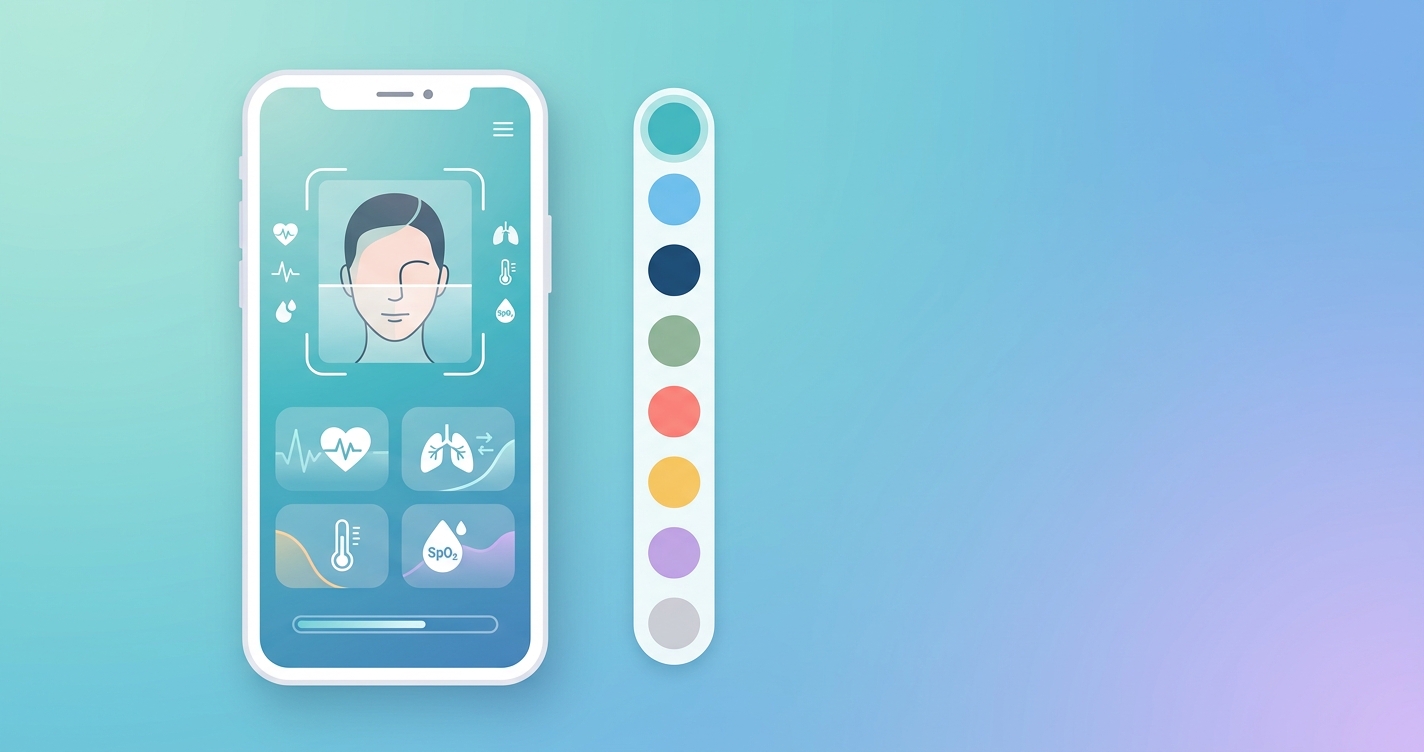
Product teams shipping a contactless vitals feature rarely want the technology to look like it came from somewhere else. The camera scan, the result card, the loading animation, and the consent screen all sit inside an app that carries someone else's brand, design system, and trust relationship with the user. That is the core promise of a white-label health scanning SDK: the measurement engine is licensed, but every pixel the end user sees belongs to you. For a VP of Engineering or product lead, the real work is not adding heart-rate measurement. It is making that measurement feel native to a product users already recognize.
The global mHealth apps market is projected to reach $45.14 billion in 2026, while the contactless health monitors market is estimated at $36.67 billion the same year and growing at a 12.98% CAGR through 2035, according to Business Research Insights (2025).
That growth is why so many platforms are evaluating buy-versus-build. The branding layer is where licensed vitals either disappear into your product or stick out as a bolted-on widget.
What a white-label health scanning SDK actually controls
A white-label health scanning SDK separates two concerns that teams often conflate. The first is the signal pipeline: camera frame capture, face or fingertip region detection, remote photoplethysmography (rPPG) signal extraction, and the models that turn a pulsatile signal into heart rate, respiration, and related metrics. The second is the presentation layer: colors, typography, copy, iconography, scan framing guides, progress indicators, and the result screens. A genuinely white-label product gives you full control over the second without forcing you to touch the first.
When evaluating a branded vitals scanner, the practical question is how deep the customization hooks go. Some SDKs expose only a logo slot and an accent color. Others ship the measurement engine as a headless module and let you build the entire UI against a results stream. The headless approach demands more engineering but produces a scan that is indistinguishable from the rest of your app.
| Customization Layer | Logo + Color Only | Theme Tokens + Slots | Headless (Bring Your Own UI) |
|---|---|---|---|
| Brand fidelity | Low | Medium | High |
| Engineering effort | Minimal | Moderate | Higher |
| Control over scan flow | None | Partial | Full |
| Custom result screens | No | Limited | Yes |
| Time to first build | Hours | Days | 1-2 weeks |
| Best for | Pilots and demos | Most production apps | Design-system-strict products |
Most teams land in the middle column. The headless path is worth it when your product has a mature design system and a strict review process for anything user-facing.
How to approach white-label vitals SDK setup
White-label vitals SDK setup tends to follow a predictable order. Treating it as a sequence rather than a single configuration step keeps the branding consistent across platforms and reduces rework later.
- Define brand tokens first. Pull primary, secondary, and semantic colors, font families, corner radii, and spacing from your existing design system rather than inventing new values for the scanner.
- Map the scan states. Every flow has at least four: pre-scan instructions, active measurement, processing, and results. Decide what each looks like before writing code.
- Localize copy early. Consent language, on-screen guidance ("hold still," "move closer to the light"), and error messages should match your product voice and your supported locales.
- Decide where results live. A branded vitals scanner can present numbers inline, in a modal, or pass them to your own dashboard. The handoff format matters more than the scan screen.
- Plan the permission and consent screen. This is part UI and part compliance, and it is the screen most likely to need legal review.
Customizing the health scanning UI
To customize the health scanning UI well, treat the camera viewport as the anchor of the experience. The framing guide that tells users where to position their face or finger is the single most important element for measurement quality, so it should be branded but never at the expense of clarity. Teams that over-style the guide with low-contrast overlays often see longer scan times and more failed reads.
Animation is the second lever. A smooth, on-brand progress indicator during the 30-to-60-second capture window reduces abandonment. Replace generic spinners with a progress ring or waveform that matches your motion language.
Rebranding a contactless vitals app end to end
When the goal is to rebrand a contactless vitals app for a partner or a new market, the SDK is only one input. The app icon, splash screen, store listing, push notification copy, and any email receipts that include readings all need to carry the new identity. A white-label health scanning SDK that exposes its strings, themes, and assets as overridable resources makes this a configuration exercise rather than a fork. Teams running multi-tenant deployments, where one codebase serves several branded clients, benefit most from token-driven theming because a new brand becomes a config file rather than a release.
Current research and evidence
The branding layer only matters if the underlying measurement holds up, and the evidence base for camera-based vitals has matured. A clinical validation study of rPPG-enabled contactless pulse rate monitoring in cardiovascular disease patients, published in PMC (2024), reported strong agreement between rPPG-derived pulse rate and ECG, with a mean absolute error of 1.061 bpm. A separate non-contact photoplethysmography mobile application study with 562 participants reported a mean absolute error of 2.96 and 99.1% accuracy for heart rate.
Conditions still shape results. A 2025 study covered by News-Medical found that rPPG accuracy declines sharply at elevated heart rates, while low lighting had comparatively little effect. Reviews of rPPG and deep learning methods consistently flag motion artifacts, variable lighting, and diverse skin tones as the dominant accuracy challenges. For product teams, this research has a direct UI consequence: the guidance copy and framing you brand into the scan flow is not cosmetic. Clear instructions to hold still and find even lighting directly affect the quality of the signal your SDK returns. Branding and measurement quality are linked, not separate concerns.
The future of white-label health scanning
Several shifts are reshaping how branded vitals will be delivered. First, theming is moving toward design-token interoperability, so a scanner can ingest the same token file that drives the rest of an app. Second, multi-tenant white-label deployments are becoming standard as platforms resell vitals to downstream clients, which pushes vendors toward runtime theming instead of build-time configuration. Third, the metric set is expanding beyond heart rate to respiration, heart-rate variability, and estimation of additional signals, which means result screens need to be designed for a growing, sometimes optional, set of outputs.
The teams that win here will treat the white-label health scanning SDK as a component in a design system rather than a standalone feature. That framing keeps the scan consistent as both the brand and the metric set evolve.
Frequently asked questions
How long does white-label vitals SDK setup usually take?
A basic branded build with logo, colors, and copy can be running in a day or two. A fully custom, headless integration that matches a strict design system typically takes one to two weeks, depending on how many scan states and result screens you build and how much localization and consent review is required.
Can I fully rebrand a contactless vitals app without touching the measurement engine?
Yes. A properly designed white-label health scanning SDK separates the signal pipeline from the presentation layer, so you override themes, strings, and assets without modifying or seeing the underlying models. This is what makes multi-tenant, multi-brand deployments practical from a single codebase.
Does customizing the health scanning UI affect accuracy?
Indirectly, yes. The measurement models are unchanged, but the framing guide, lighting guidance, and instruction copy you brand into the flow influence how well users position themselves and hold still. Research shows motion and lighting are major accuracy factors, so clear, well-designed guidance helps protect signal quality.
What should drive the choice between token theming and a headless build?
The maturity and strictness of your design system. If you have a token-based system and a tight review process for user-facing screens, a headless build gives you full control. If you need a branded scanner quickly for most production cases, token-and-slot theming is the faster, lower-effort path.
Circadify is building developer tools for exactly this problem: a drop-in rPPG SDK that lets product teams add contactless vitals and ship a branded scan experience in days rather than months. If you are scoping a white-label or custom-branded vitals build, you can start with the developer docs and request API keys at circadify.com/custom-builds.