rPPG SDK Error Handling: Edge Cases and Best Practices
How production rPPG SDK integrations handle error states, edge cases, and signal failures — with patterns that keep vitals features reliable under real-world conditions.
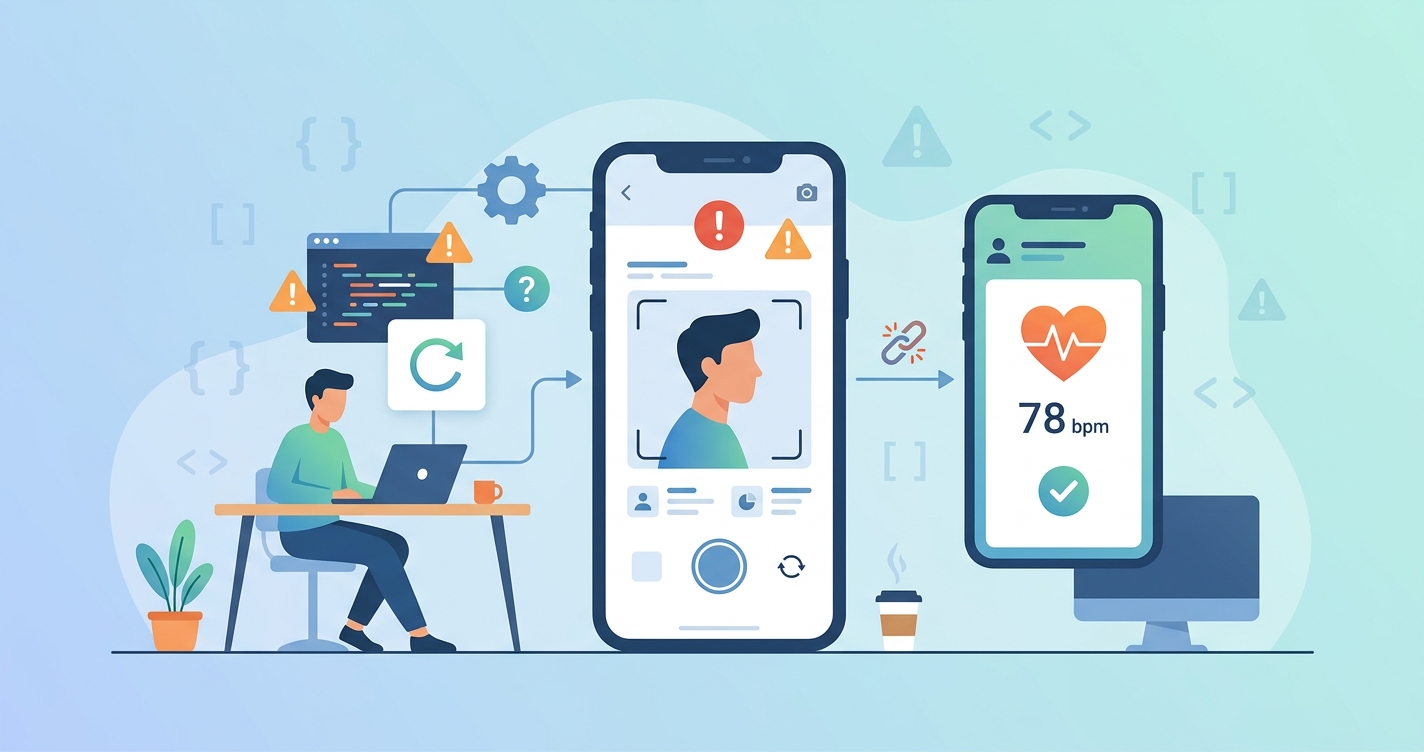
Shipping an rPPG SDK integration that works in your office under good lighting is the easy part. The hard part is what happens when a user holds their phone at a weird angle in a dim bathroom, or when someone with a dark complexion tries a scan under fluorescent lights, or when the cellular connection drops mid-measurement. rPPG SDK error handling best practices come down to one thing: anticipating the dozens of ways a camera-based vitals measurement can fail and building recoverable paths for each one.
"Signal quality in remote photoplethysmography degrades significantly under motion artifacts and low-light conditions, with mean absolute error for heart rate increasing by 8-15 BPM in uncontrolled environments." — Shao et al., "Remote Photoplethysmography in Real-World and Extreme Lighting Scenarios," CVPR 2025
Why rPPG Error Handling Is Different From Standard API Error Handling
Most SDK integrations deal with network errors, auth failures, and malformed requests. The error surface for rPPG is stranger because the input isn't structured data. It's a live video feed of someone's face. The SDK is extracting blood volume pulse signals from subtle color changes in skin pixels, and that process can fail in ways that have no analog in a typical REST API call.
A 2025 paper published in Biomedical Signal Processing and Control by researchers at Eindhoven University of Technology found that machine learning-based signal quality assessment could classify rPPG signal reliability with over 90% accuracy by analyzing temporal and spectral features of the extracted pulse waveform. That matters for error handling because it means the SDK itself can tell you, in near-real-time, whether the data coming through the pipeline is trustworthy.
The practical takeaway: your error handling strategy shouldn't just catch failures. It should also catch low-confidence successes — measurements that technically complete but produce data you shouldn't trust.
The error categories that matter
| Error Category | Trigger | Severity | Recoverable? | Recommended Response |
|---|---|---|---|---|
| Face not detected | No face in camera frame | Blocking | Yes — prompt repositioning | Show overlay guide, pause measurement |
| Low light | Ambient light below threshold | Degrading | Yes — prompt user | Suggest better lighting, allow retry |
| Excessive motion | Head movement during scan | Degrading | Partial — depends on duration | Restart scan if >40% frames affected |
| Skin ROI too small | Face too far from camera | Blocking | Yes — prompt user | Display distance guide |
| Signal quality below threshold | Weak pulse signal extraction | Soft failure | Sometimes — retry may help | Return confidence score, flag for retry |
| Camera permission denied | OS-level denial | Blocking | No — requires user action | Deep-link to system settings |
| Session timeout | Measurement exceeds max duration | Terminal | Yes — restart | Auto-restart with user confirmation |
| Network interruption | Connectivity lost during cloud sync | Deferred | Yes — queue and retry | Store locally, sync when reconnected |
| Device thermal throttle | CPU temperature limit reached | Degrading | Partial — after cooldown | Reduce frame rate, notify user |
Handling Signal Quality Failures at the SDK Layer
The trickiest error class in rPPG is the one where the measurement completes but the signal wasn't clean enough to produce reliable vitals. This happens more than most teams expect. A 2024 review in Frontiers in Digital Health analyzing 25 rPPG studies noted that POS (Plane Orthogonal to Skin) algorithm performance varied substantially across recording conditions, with motion and inconsistent lighting being the primary degradation factors.
Your SDK integration needs a signal quality gate. Here's what that looks like in practice:
During measurement: The SDK should expose frame-by-frame or segment-level quality scores. If quality drops below a threshold for a sustained period (say, more than 30% of a 30-second scan), you abort early rather than delivering garbage data. This saves users the frustration of sitting through a full scan only to get an error at the end.
After measurement: Even if the scan completes, each vital sign reading should carry a confidence indicator. Heart rate might come back with 95% confidence while blood pressure sits at 60%. Your UI needs to handle this per-metric — show the high-confidence readings and flag or suppress the low-confidence ones.
On retry: Not all retries are created equal. If the failure was caused by motion, a simple "try again and hold still" prompt works. If the failure was caused by lighting, you need the user to change their environment. Your retry guidance should be specific to the failure mode, not a generic "something went wrong" message.
Dr. Daniel McDuff, formerly of Microsoft Research and now at Google, has published extensively on adaptive rPPG systems. His work showed that combining multiple signal extraction methods (CHROM, POS, and learned approaches) and selecting the best-performing one per-session can reduce error rates by 20-35% compared to single-method pipelines. That architectural pattern — running multiple extraction paths and choosing the winner — is increasingly common in production SDKs.
Motion Artifacts: The Most Common Edge Case
Motion is the number one source of rPPG measurement failures in production. Users fidget, look away, adjust their grip on the phone, or just can't hold still for 30 seconds. The rPPG signal is tiny — we're talking about color changes of less than 1% across skin pixels. Even small movements introduce noise that dwarfs the pulse signal.
Research from the NeurIPS 2023 rPPG-Toolbox project (led by Xin Liu at the University of Washington) established standardized benchmarks for evaluating rPPG under motion. Their MMPD dataset includes scenarios like talking, head rotation, and walking, and most traditional signal processing methods saw heart rate MAE increase from 2-3 BPM in still conditions to 8-15 BPM under moderate motion.
Practical motion handling patterns
Frame dropping with interpolation. When the SDK detects high motion in specific frames, skip those frames and interpolate the signal from neighboring clean segments. This works for brief disruptions (a quick head turn) but not sustained movement.
Adaptive ROI tracking. Rather than using a fixed face bounding box, track facial landmarks frame-by-frame and adjust the region of interest dynamically. If the nose tip moves 20 pixels between frames, the ROI follows. This compensates for gradual drift but not sudden jerks.
Motion budget. Set a total motion budget for the measurement session. Each frame that exceeds a motion threshold spends from the budget. When the budget runs out, end the measurement early and report what you have (with appropriate confidence scores) rather than continuing to collect noisy data.
Progressive feedback. Show users a real-time signal quality indicator. A simple green/yellow/red bar that reflects current signal stability gives users immediate feedback about their positioning and movement, reducing failed scans dramatically. Teams that implement this typically see 30-50% fewer failed measurements.
Lighting Edge Cases That Break Measurements
Low light is the second most common rPPG failure mode, but it's not the only lighting problem. Uneven lighting (half the face in shadow), rapidly changing light (walking past windows), and certain artificial light frequencies can all degrade or corrupt measurements.
The CVPR 2025 paper by Shao et al. introduced the CHILL dataset specifically to benchmark rPPG under extreme lighting. They found that deep learning-based methods (like PhysNet and EfficientPhys) maintained reasonable accuracy down to about 50 lux — roughly a dimly lit room — but degraded sharply below that. Traditional signal processing methods started struggling at 100-150 lux.
Lighting-specific error handling
| Lighting Condition | Detection Method | Impact on Measurement | Mitigation |
|---|---|---|---|
| Below 50 lux | Camera exposure/ISO metadata | Heart rate MAE > 10 BPM | Block measurement, prompt user |
| 50-150 lux | Frame brightness histogram | Degraded accuracy, wider confidence intervals | Warn user, extend scan duration, widen CI |
| Uneven illumination | Left/right face brightness delta | Asymmetric signal extraction | Use better-lit side only, note reduced ROI |
| Flickering artificial light | Frequency analysis of brightness | Aliased signal contamination | Apply notch filter at detected flicker frequency |
| Direct sunlight | Highlight/saturation clipping | Pixel saturation kills signal | Prompt user to move to shade |
| Screen-only illumination | Color temperature + low ambient | Variable quality depending on screen content | Block if below minimum ambient threshold |
One pattern that works well: measure ambient light at the start of the session (using the front camera's auto-exposure metadata) and set quality thresholds accordingly. A measurement in ideal lighting can tolerate more motion, and a measurement with perfect stillness can tolerate worse lighting. Making these thresholds adaptive rather than fixed reduces unnecessary failures.
Skin Tone and Demographic Edge Cases
This is the edge case that has the most significant real-world consequences if handled poorly. rPPG signal strength varies with melanin concentration in skin because the technique relies on detecting color changes caused by blood volume fluctuations beneath the skin surface. Darker skin absorbs more light, which reduces the amplitude of the color change the camera can detect.
A 2024 study published in Nature Digital Medicine examining rPPG reliability found that deep learning methods showed smaller performance gaps across skin tones compared to traditional signal processing approaches, but the gap hasn't been fully closed. The Fitzpatrick Skin Type scale (I-VI) is commonly used as a proxy. Types V and VI show higher error rates in most published benchmarks.
What this means for error handling: Your SDK should not silently deliver lower-quality results for users with darker skin. The quality scoring system described earlier should catch this. If signal amplitude is lower, confidence scores should reflect that honestly. If confidence falls below your threshold, prompt a retry with better lighting rather than returning unreliable data.
It's also worth noting that the green channel (which most rPPG methods rely on for pulse extraction) is more affected by melanin than the infrared channel. SDKs that can leverage NIR (near-infrared) sensing, available on phones with Face ID or similar depth sensors, can achieve more consistent results across skin tones.
Network and Device Edge Cases
Beyond the camera and signal processing layer, there's a whole class of errors related to the device and network environment.
Thermal throttling. rPPG processing is computationally intensive. You're running face detection, landmark tracking, signal extraction, and possibly a neural network on every frame in real time. On mid-range and older phones, sustained processing causes the CPU to thermal throttle, which drops frames and introduces timing inconsistencies in the signal. The fix: monitor device temperature (both iOS and Android expose thermal state APIs) and either reduce processing resolution or warn the user before quality degrades.
Background app interruption. A phone call, notification overlay, or another app claiming the camera can interrupt a measurement mid-scan. Your SDK needs to handle camera session interruption gracefully — save the partial measurement state, and when the camera returns, decide whether to resume (if the gap was short) or restart (if too much time elapsed).
Memory pressure. Video frame buffers consume significant memory. On devices with 3-4 GB RAM, competing apps can force the OS to reclaim memory from your process. Implement progressive frame buffer management — keep only the frames you need for the current processing window and discard processed frames immediately.
Circuit breaker pattern for rPPG retries
Borrowing from distributed systems, the circuit breaker pattern works well for rPPG retry logic. Rather than letting users retry indefinitely (which wastes their time if conditions genuinely aren't suitable), track consecutive failures:
- Closed state (normal): Measurements proceed normally. Failures increment a counter.
- Open state (paused): After 3 consecutive failures of the same type, stop attempting measurements and show targeted guidance ("Move to a brighter room" or "Place your phone on a stable surface").
- Half-open state (test): After the user makes an environmental change (detected via camera metadata), allow one test measurement. If it succeeds, reset to closed. If it fails, return to open with updated guidance.
This pattern respects users' time and reduces frustration compared to "please try again" loops.
Error Reporting and Observability
Good error handling at the SDK layer means nothing if you can't see what's happening in production. Your integration should capture:
- Failure rates by error type — are motion errors dominating? That's a UX problem. Are lighting errors spiking? Maybe your user base is in a region with different lighting patterns than you tested for.
- Failure rates by device model — some phones have worse front cameras than others. Knowing which devices produce the most errors lets you adjust thresholds or add device-specific handling.
- Signal quality distributions — the spread between your median quality score and your p10 tells you how much of your user base is getting marginal results.
- Retry success rates — if users who retry after a motion error succeed 80% of the time, your guidance is working. If they succeed only 20% of the time, your guidance isn't actionable enough.
Teams shipping rPPG features that want a deep-dive into SDK integration, error handling patterns, and production deployment strategies can explore Circadify's developer platform, which includes SDK documentation and integration guides built around these exact scenarios.
Frequently Asked Questions
What is the most common cause of rPPG SDK measurement failures?
Motion artifacts are the leading cause in virtually every production deployment. Users move more than developers expect during testing, and even small movements corrupt the subtle color signals that rPPG relies on. Implementing real-time motion feedback (a visual indicator showing the user their stability) reduces motion-related failures by 30-50% according to teams that have deployed this pattern.
How should an rPPG SDK handle low-confidence measurement results?
Return per-metric confidence scores alongside the vital sign values. Let the consuming application decide what to show based on its own quality requirements — a wellness app might display heart rate at 70% confidence with a disclaimer, while a clinical application might require 90%+ and suppress anything lower. The SDK should never silently return low-quality data without flagging it.
Can rPPG work reliably across all skin tones?
Deep learning-based rPPG methods have significantly narrowed the accuracy gap across Fitzpatrick skin types compared to traditional signal processing approaches, but some disparity remains, particularly under suboptimal lighting. Improving lighting conditions has the largest impact on cross-skin-tone accuracy. SDKs that leverage near-infrared sensing (available on devices with structured light depth sensors) show more consistent performance across the full skin tone range.
How do you handle camera permission errors in an rPPG integration?
Camera permission denial is a blocking error that the SDK can't resolve on its own. The standard pattern is to detect the denial, display a clear explanation of why camera access is needed (for vital sign measurement, not photos or video recording), and provide a deep link to the device's system settings where the user can grant the permission. On iOS, this requires sending the user to Settings; on Android, you can re-prompt with shouldShowRequestPermissionRationale.