7 Metrics Every Health SDK Integration Should Track
Health SDK integration metrics tracking matters more than most teams realize. These seven measurements separate reliable vitals platforms from ones that silently degrade.
7 Metrics Every Health SDK Integration Should Track
Most development teams that integrate a health SDK into their application ship it and move on. The SDK returns heart rate, respiratory rate, maybe blood pressure estimation. It works in testing. It works in staging. Then three months later, someone notices that 18% of production scans are failing silently, and nobody can explain why because nobody was measuring anything beyond "does the endpoint return 200."
Health SDK integration metrics tracking is the difference between a vitals feature that actually works at scale and one that quietly falls apart under real-world conditions. Lighting changes, cheap cameras, impatient users, network hiccups. The signals that matter go well beyond uptime.
"Non-contact photoplethysmography systems face challenges related to motion, ambient lighting changes, occlusions, camera distance, and skin tone variation — challenges particularly pronounced in uncontrolled environments." — University of Electronic Science and Technology of China, Biomedical Engineering Online, 2025
What follows are seven measurements that engineering teams building on health SDKs should instrument from day one. Not vanity metrics. The ones that actually predict whether your vitals feature will hold up.
1. Scan completion rate
This is the single most telling metric for any camera-based health SDK integration. It measures what percentage of initiated scans produce a valid result versus being abandoned, timing out, or returning an error.
A scan completion rate below 80% in production means something is wrong. It could be UI friction (users don't hold still long enough), environmental factors (bad lighting in common use locations), or device compatibility issues. A 2025 study published in PLOS ONE found that rPPG measurement reliability dropped significantly when subjects moved during capture, and most real users are not sitting still in controlled lab conditions.
Track this metric by device model, OS version, and time of day. You will find patterns. Certain Android devices with aggressive battery optimization kill the camera process mid-scan. iOS 18 introduced new camera permission flows that confuse first-time users. Evening scans fail more often because indoor lighting is worse.
What to measure
- Scans initiated vs. scans completed successfully
- Abandonment point (what second of the scan do users quit)
- Error codes returned for failed scans
- Completion rate segmented by device, OS, and lighting condition
2. Signal quality score distribution
The raw vitals number is the output. The signal quality score tells you whether that output is trustworthy. Most health SDKs return some form of confidence or quality indicator alongside the measurement. If yours doesn't, that is a problem worth raising with your SDK provider.
A signal quality distribution gives you the shape of your data reliability. If 60% of your scans are returning high-confidence results and 40% are marginal or low, you have a data quality issue that no amount of UI polish will fix. Research from Philips published in IEEE Transactions on Biomedical Engineering showed that the chrominance-based rPPG method (CHROM), originally developed by de Haan and Jeanne in 2013, performs well in controlled conditions but degrades predictably when signal-to-noise ratio drops.
Plot this as a histogram weekly. You want the distribution skewing toward high quality over time, not the other way around.
| Quality band | Target distribution | Action if below target |
|---|---|---|
| High confidence (>0.8) | >60% of scans | Investigate device/environment mix |
| Moderate confidence (0.5-0.8) | 20-30% of scans | Check lighting guidance UX |
| Low confidence (<0.5) | <10% of scans | Consider rejecting these results |
| Failed / no signal | <5% of scans | Debug camera access and face detection |
3. End-to-end latency percentiles
Average latency is almost useless. Two integrations can both report 2.3 seconds average latency while having completely different user experiences. One has a tight distribution around 2 seconds. The other has most scans at 1.5 seconds but a fat tail where 10% of scans take 8+ seconds.
Measure p50, p95, and p99 latency for the full scan lifecycle: camera initialization, frame capture, signal processing, API response. A 2025 analysis by Dotcom-Monitor found that API latency monitoring based on percentile distributions rather than averages caught degradation patterns that mean-based alerting missed entirely.
For health SDKs specifically, latency matters because users are holding their phone to their face. Every extra second increases abandonment. If your p95 latency drifts above 5 seconds for a 30-second scan flow, expect your completion rate to drop.
Latency breakdown worth tracking
- Camera initialization time (varies wildly by device)
- Frame capture and preprocessing duration
- Signal extraction and analysis time
- Network round-trip (if cloud-processed)
- Total wall-clock time from tap to result
4. Error rate by category
A single error rate number obscures everything useful. "2% error rate" could mean 2% camera permission denials (a UX problem) or 2% signal processing failures (an SDK problem) or 2% network timeouts (an infrastructure problem). Each requires a different fix.
Categorize errors into at least four buckets:
| Error category | Examples | Owner |
|---|---|---|
| Device/permission errors | Camera denied, unsupported device, OS restriction | Client engineering |
| Environmental errors | Insufficient lighting, face not detected, too much motion | UX/guidance team |
| Processing errors | Signal extraction failure, algorithm timeout, out-of-memory | SDK provider |
| Network/infrastructure errors | API timeout, auth failure, rate limit exceeded | Platform engineering |
Track each category independently and set separate alert thresholds. Processing errors above 1% warrant a ticket to your SDK provider. Device errors above 5% mean your compatibility matrix needs updating.
A 2024 report from APIQuality noted that teams practicing categorized error monitoring resolved API integration issues 40% faster than those tracking a single aggregate error rate.
5. Measurement consistency across sessions
This metric catches drift that nothing else will. If a user scans three times in ten minutes, the heart rate readings should cluster within a reasonable range. If they're returning 72, 91, and 65 bpm in quick succession, the measurements are noisy regardless of what the individual confidence scores say.
Calculate the coefficient of variation (CV) for repeat measurements within a session window. Dr. Daniel McDuff, formerly at Microsoft Research and now at Google, published work showing that rPPG measurement variance across sessions correlates with signal processing pipeline quality. High inter-session variance often indicates that the SDK's face detection or ROI selection is unstable.
Set up automated flagging when the CV for any vital sign exceeds your threshold. For heart rate, a CV above 8% across same-session repeated scans suggests a problem. For respiratory rate, the acceptable range is wider because the measurement is inherently noisier.
6. Device coverage and failure hotspots
You need a live map of which devices your integration actually works on versus which ones are quietly producing garbage. This is not a one-time compatibility test. New devices ship monthly. OS updates change camera APIs. Manufacturer skins modify battery behavior.
Build a matrix that tracks completion rate and signal quality by:
- Device manufacturer and model
- OS version
- Camera specification (front-facing resolution, frame rate capability)
- SDK version
A 2025 paper in Biomedical Engineering Online from researchers at the University of Oulu found that camera sensor characteristics, including frame rate stability and auto-exposure behavior, significantly affected rPPG signal extraction quality. Two phones with identical resolution specifications can produce very different rPPG results because of differences in their image signal processing pipelines.
The practical takeaway: maintain a device tier list. Tier 1 devices where everything works well. Tier 2 where it works with caveats. Tier 3 where you need to show users a warning or disable the feature. Update the list monthly based on actual production data, not lab testing.
7. User retry and re-engagement rate
The behavioral signal that ties everything together. If users scan once and never come back, something failed even if the technical metrics looked fine. If users frequently retry immediately after a scan, the result probably didn't feel right to them, or the scan experience was frustrating.
Track three things:
- Immediate retry rate: User scans again within 60 seconds. High rates (above 15%) suggest the results feel untrustworthy or the scan failed visibly.
- Session re-engagement: User returns for another scan within 7 days. Low rates (below 20% for health apps) indicate the feature isn't delivering perceived value.
- Feature abandonment: User tried the vitals feature once and never used it again. Above 50% abandonment after first use means the experience needs work.
These are proxy metrics, but they capture something that pure technical telemetry misses. A scan can succeed technically, return a plausible heart rate, and still feel wrong to the user because the experience was slow or the guidance was confusing.
Putting it together: a monitoring dashboard
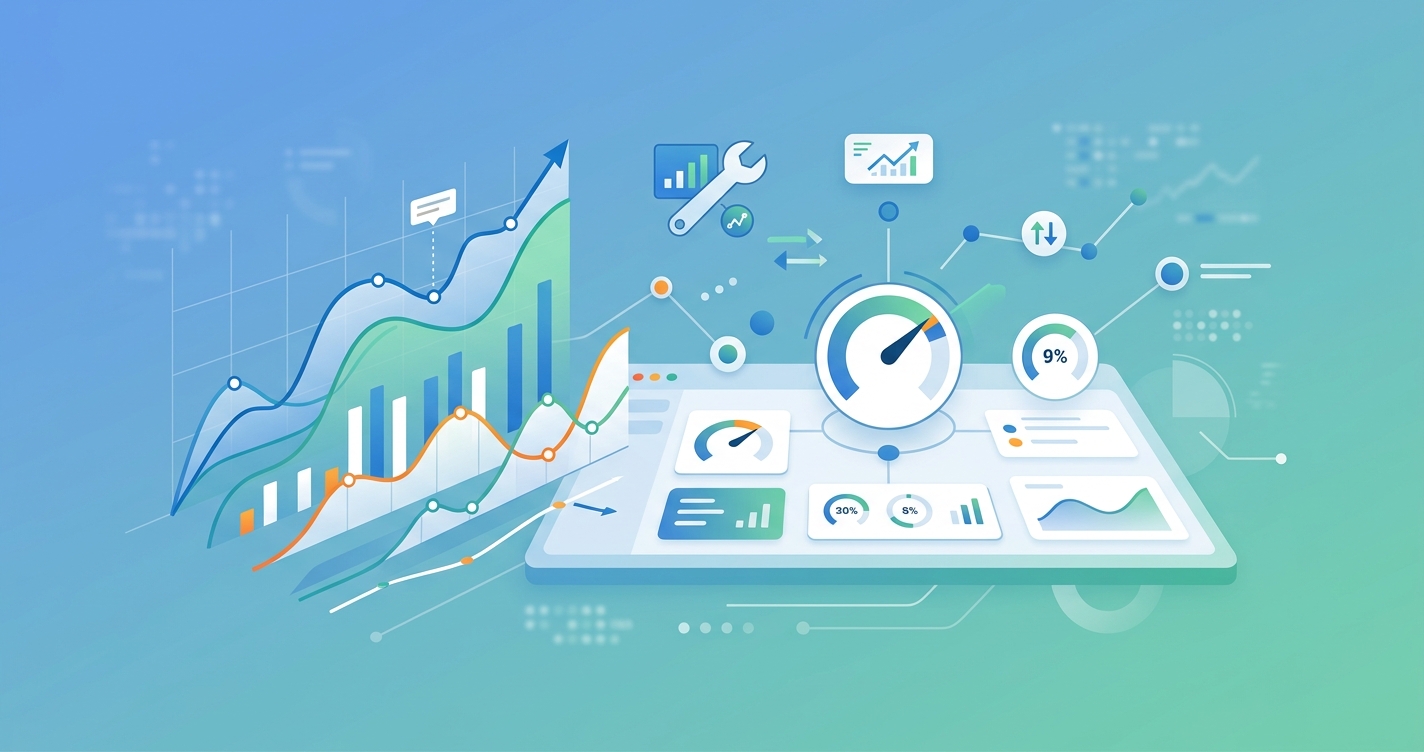
The seven metrics work as a system. Scan completion rate is your top-level health indicator. When it drops, signal quality distribution and error categorization tell you why. Latency percentiles reveal experience problems that don't show up as errors. Measurement consistency catches accuracy issues. Device coverage identifies where problems concentrate. Retry rates tell you how users actually perceive the whole thing.
| Metric | Recommended alert threshold | Check frequency |
|---|---|---|
| Scan completion rate | Drops below 80% | Hourly |
| High-confidence signal ratio | Falls below 55% | Daily |
| p95 end-to-end latency | Exceeds 6 seconds | Hourly |
| Processing error rate | Exceeds 1% | Real-time |
| Inter-session CV (heart rate) | Exceeds 10% average | Weekly |
| Tier 3 device share of traffic | Exceeds 15% | Weekly |
| Immediate retry rate | Exceeds 20% | Daily |
Set up a single dashboard page with these seven panels. Review it weekly as a team. The patterns you find will drive more meaningful improvements than any amount of feature work.
Current research and evidence
The measurement frameworks described here draw from both general API observability practices and domain-specific health technology research.
Zuccotti et al. published a study in late 2024 enrolling adult volunteers to test rPPG-based vital sign accuracy using mobile device front cameras. Their methodology required approximately 90 seconds of facial recording, with simultaneous reference device measurements. The study design illustrates why SDK teams need to track signal quality and measurement consistency, since even in controlled research settings, variance between methods requires careful statistical analysis.
The broader field of API performance monitoring has matured significantly. Tools like Datadog, New Relic, and APIQuality now offer health-specific monitoring templates that include latency percentile tracking, error categorization, and anomaly detection based on historical baselines. A 2025 comparison by ip-label evaluated leading APM tools on their ability to correlate traces, logs, and infrastructure metrics, finding that the most effective monitoring setups combined real-user monitoring with synthetic testing.
For rPPG specifically, a 2025 survey in Healthcare.Digital noted that the technology is expanding from heart rate to respiratory rate, blood oxygen estimation, and stress indicators, each with different signal quality characteristics that require independent monitoring.
What comes next for health SDK observability
The monitoring approach outlined here treats the SDK as a black box you instrument from the outside. That's the right starting point for most integration teams because you can implement it without any changes from the SDK provider.
The next evolution is collaborative observability, where the SDK itself exposes internal pipeline metrics: face detection confidence per frame, ROI stability scores, per-channel signal-to-noise ratios. Some SDK providers are starting to surface these through debug endpoints or analytics callbacks. When evaluating or renegotiating with a health SDK provider, asking for internal signal metrics should be on your checklist.
Platforms like Circadify are building rPPG capabilities with developer-facing analytics in mind, recognizing that health SDK integration metrics tracking is as important as the vitals measurement itself.
Frequently asked questions
What is the most important metric for a health SDK integration?
Scan completion rate. It's the top-of-funnel number that captures device issues, UX problems, environmental failures, and SDK bugs all in one measurement. If scans aren't completing, nothing else matters. Start here and dig into the other six metrics to explain why the number moves.
How often should we review health SDK performance metrics?
Set up real-time alerts for completion rate drops and processing errors. Review the full dashboard weekly. Do a deep-dive monthly that includes device coverage analysis and user behavioral metrics. Quarterly, benchmark your numbers against your own historical data to spot slow degradation trends.
Should we track metrics differently for on-device versus cloud-processed SDKs?
Yes. On-device SDKs require heavier instrumentation of device-side processing (CPU usage, thermal throttling, memory pressure) because those factors directly affect measurement quality. Cloud-processed SDKs need network latency monitoring and should track offline/degraded scenarios separately. The seven core metrics apply to both architectures, but the error categories and latency breakdown components differ.
What signal quality threshold should we use to reject a measurement?
This depends on your use case and risk tolerance. Consumer wellness apps can show results with moderate confidence as long as they include appropriate context. Clinical or insurance applications should reject anything below high confidence and prompt a re-scan. Talk to your SDK provider about what their quality scores actually mean statistically before setting thresholds.